

Wix Logo Maker Review: Wixel vs. the Old Logo Maker, Pricing and Files
Quick Answer
The Wix logo maker is two tools. Wixel, the current one, has a free plan with 120 AI credits a month, capped at 30 a day; one logo request used 16. Free downloads are PNG or JPG up to 1024px, and SVG stays greyed out until you vectorize the logo. Paid Wixel plans run $90 to $590 a year. The older Logo Maker costs $20 (PNG only) or $50 (adds SVG) once, or $60 a year for Brand Plus. Neither gives you a favicon set, OG image or app icon.
Brandize publishes this comparison and sells a product discussed here. The Wix screenshots and observations below come from the 11-Oct-2026 test; the Brandize file list was checked against its implementation.
I expected Wix to hold the SVG back for a paid plan. Most free logo tools do: you design for free, then pay to download anything you can print. Wix's own pages say it doesn't. Its free logo maker page says that when you download a logo made in Wixel you have "full freedom to choose which file type and resolution you need," and the vector logo page says "Wixel exports your finished logo in scalable SVG format, alongside transparent PNG and JPG files." The AI logo generator page says new signups get free credits to generate, customize and download a finished logo.
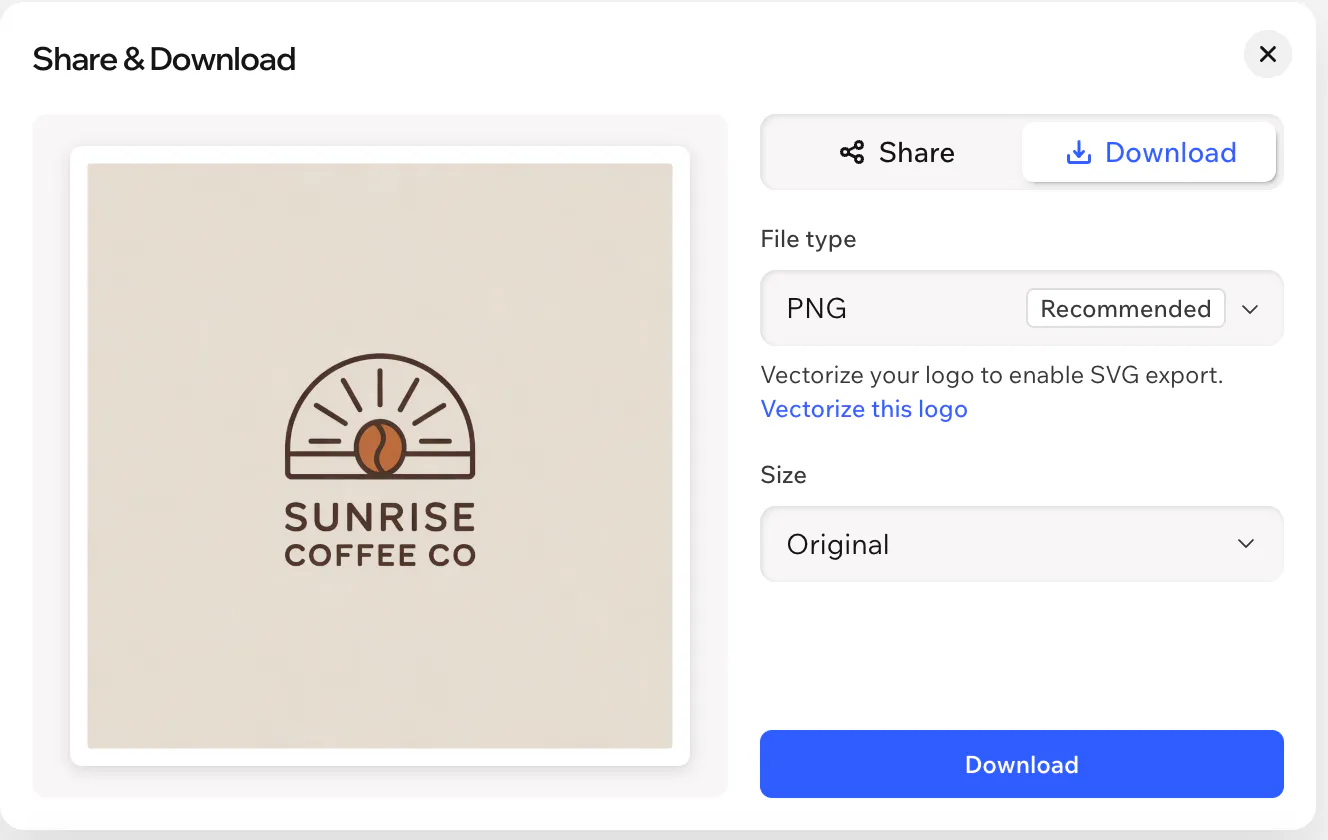
My test on 11-Oct-2026 was less tidy. Wixel's AI returned PNG logos, and in the download dialog SVG was greyed out with a note: "Vectorize your logo to enable SVG export." The free plan also limits sizes. The original size and Medium (1024x1024) download free, while the 512, 2048 and 4096px versions carry the paid-plan crown.
So the review comes down to which of Wix's two tools you end up in, what each one charges for, and what you still have to make yourself.
I checked Wix's pages on 09-Aug-2026, rechecked prices on 10-Oct-2026, and ran both tools on 11-Oct-2026. Wix changes this product often, so check the numbers again before you buy.
Wixel and the older Logo Maker: which one you get
Wix runs two logo tools, and they don't share plans or files.
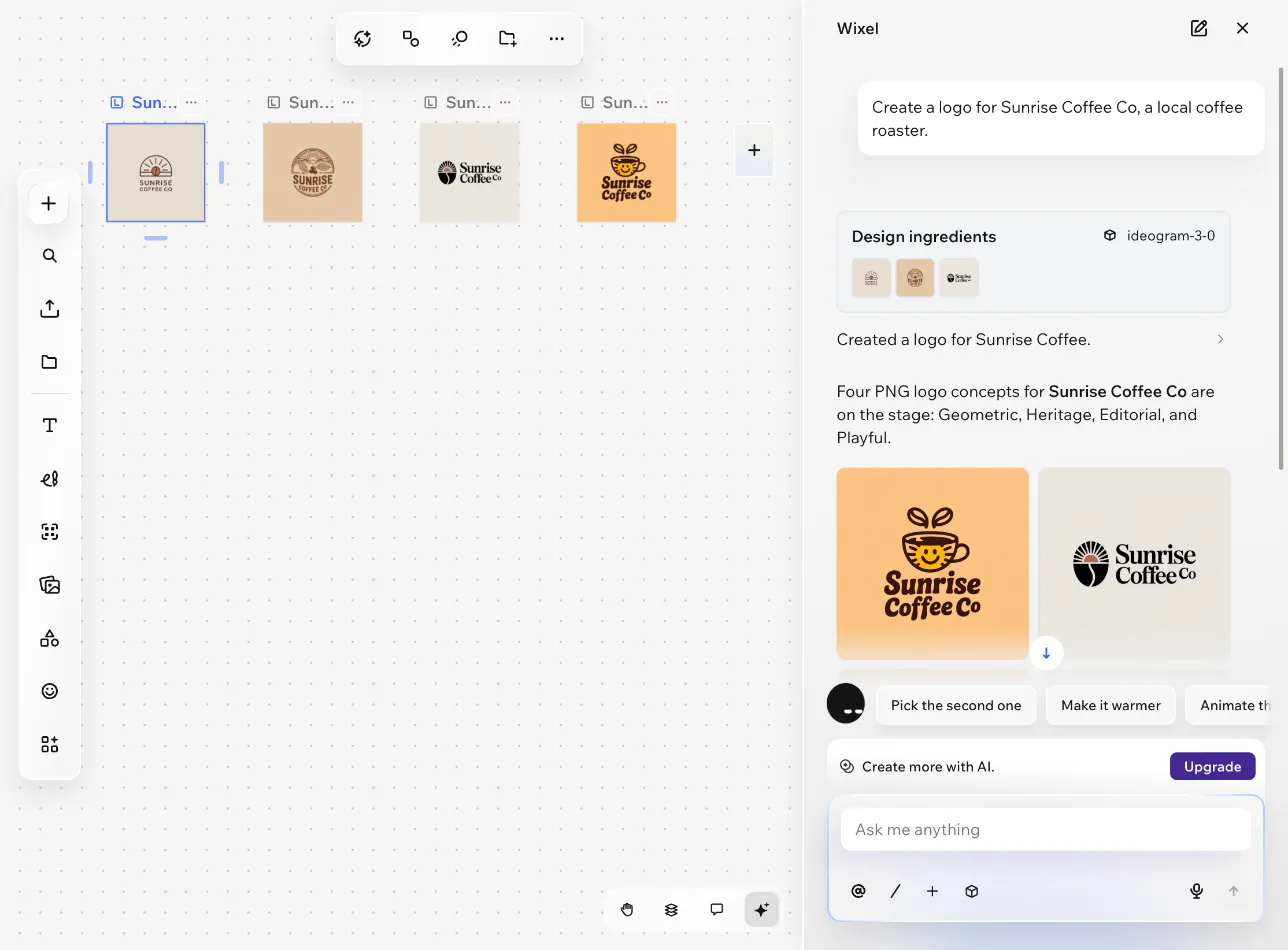
Wixel is the current one: an AI design app with a chat panel. You describe your business and it returns logo concepts. My prompt for a coffee roaster got four: Geometric, Heritage, Editorial and Playful. The "Create a Logo" button on Wix's logo maker page sends you to a Wixel sign-up, so that's the tool most new users get.
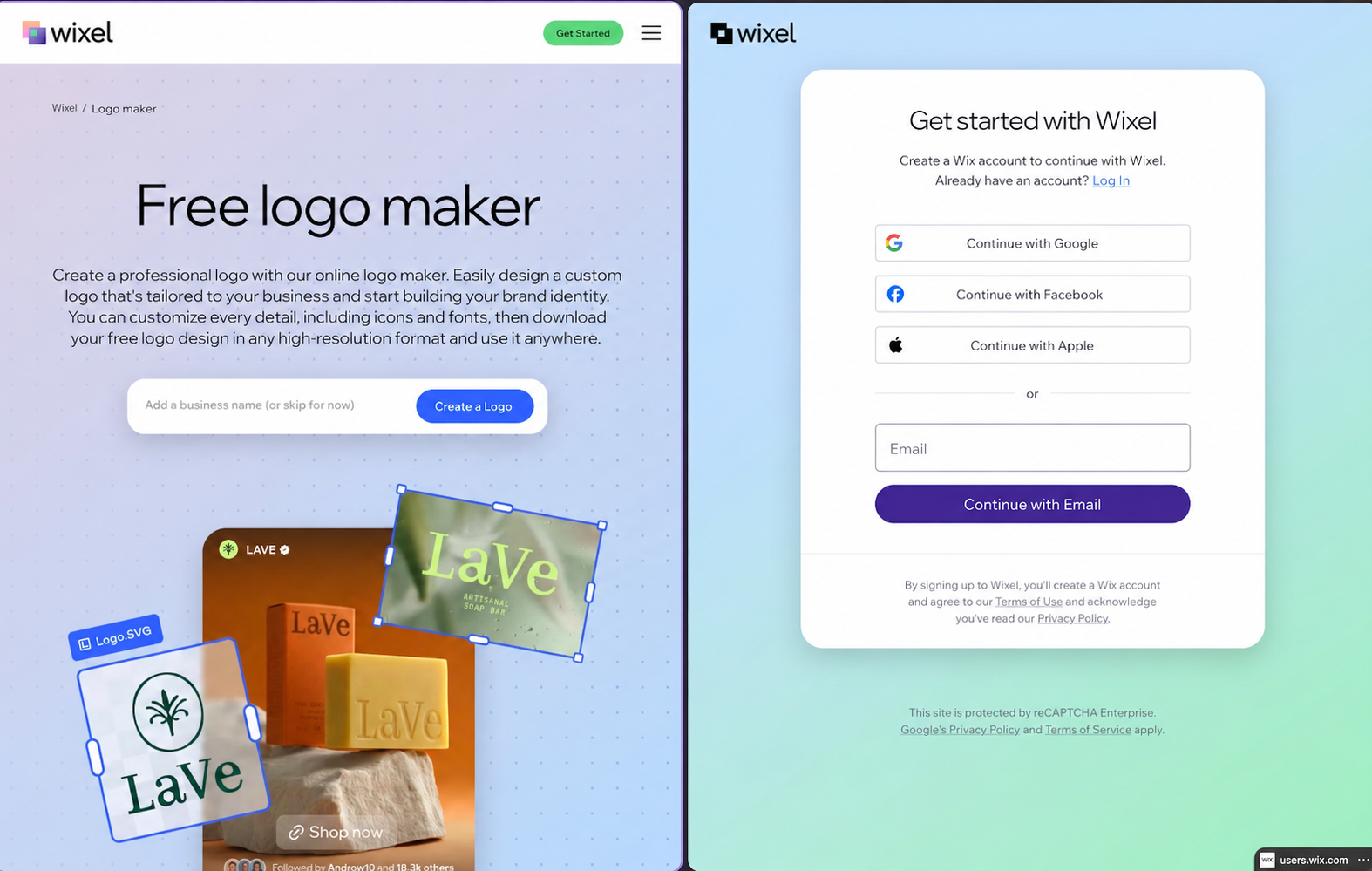
The older Logo Maker still works. Wix's migration article says Wixel is now the main place to make new logos, that the old tool has limited AI support and fewer assets, and that logos you made there "have not moved to Wixel." They stay in Brand Studio, on separate plans. Reviews that say SVG costs extra are describing the old tool, where it starts at the Advanced plan. In Wixel the catch is different: SVG needs a vectorizing step first.
Wixel pricing
Per the Wixel pricing page, checked 10-Oct-2026 and billed yearly:
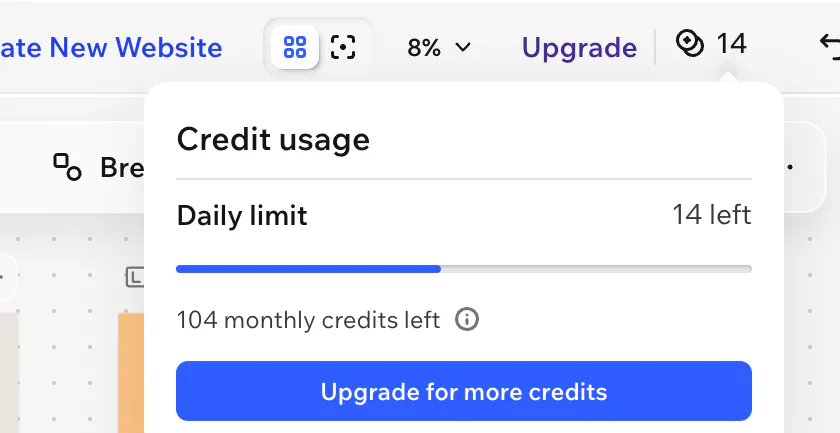
- Free: $0, 120 AI credits a month, capped at 30 a day
- Basic: $90/year, 350 credits a month
- Pro: $290/year, 850 credits a month
- Max: $590/year, 2,000 credits a month
Generating or editing a design with AI uses credits. Manual edits and downloads don't. The AI credits help article adds that "unused AI credits do not roll over to the next credit cycle." One logo request, the prompt above that returned four concepts, used 16 credits. That leaves the free plan room for one full generation a day and about seven a month. Follow-ups like "make it warmer" are AI edits and use credits too, so iterating on a logo runs through the monthly allowance quickly.
Pro and Max include a free Wix Light Premium website plan and a domain for a year. At $290, most of what you pay for is the design workspace and the website plan.
Older Logo Maker plans and pricing
The plans article lists three packages:
- Basic: 8 high-resolution PNG files at 3000x3000, in color, grayscale and monochrome. No SVG.
- Advanced: adds resizable SVG files in a range of colors, plus social media, email signature and watermark versions.
- Brand Plus: adds the Logo Brand Kit, with secondary logos at 500x500 PNG, business card files, social posts and social covers.
The free option is a single low-resolution JPG. The plans are non-refundable and include full commercial usage rights. Wix also sells Logo + Online Presence plans that bundle a Wix website plan with the logo.
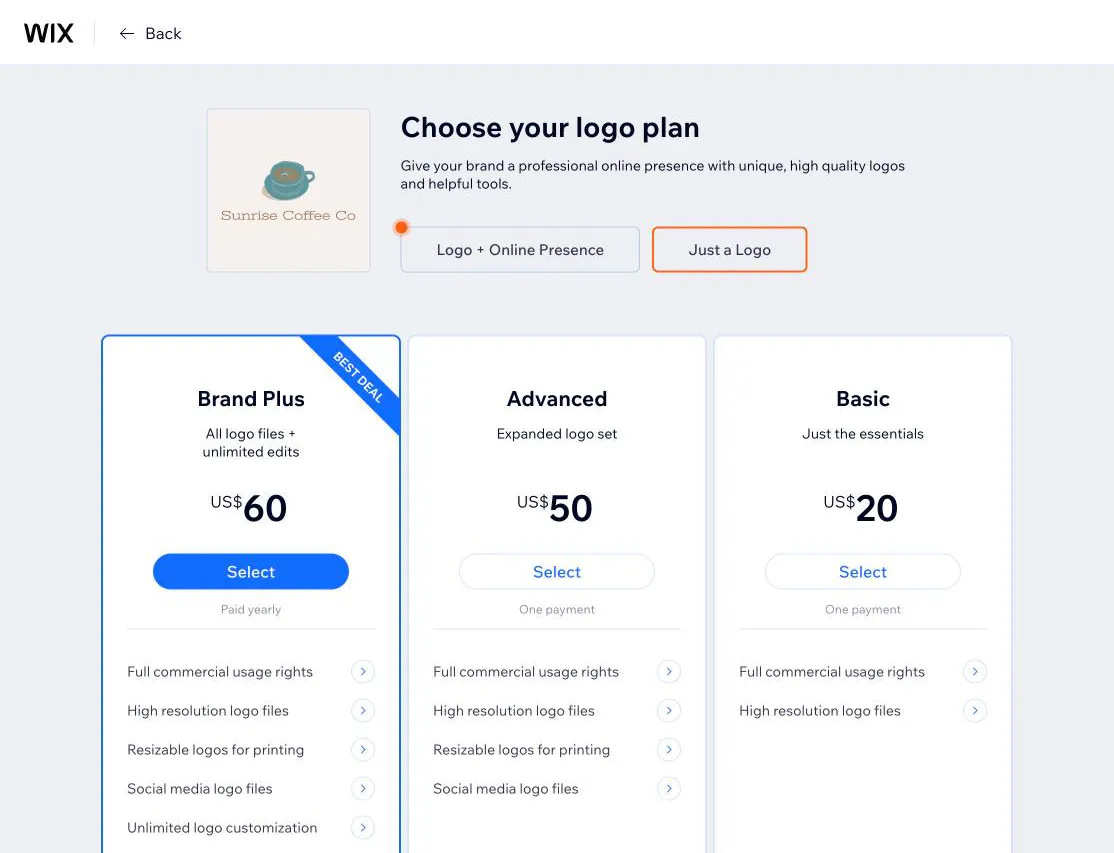
The help articles list no prices, but the plan screen does. On 11-Oct-2026 it showed Basic at US$20 and Advanced at US$50, each as one payment, and Brand Plus at US$60 paid yearly. A banner on the same screen offered 40% off logo and website bundles for 24 hours, so expect the numbers to move.
Which files each tier exports
| File | Wixel free | Wixel paid ($90 to $590/year) | Older Logo Maker ($20 to $60) |
|---|---|---|---|
| SVG | After vectorizing | After vectorizing | Advanced and up |
| PNG | Yes | Yes | Yes, 3000x3000 |
| Download sizes | Original and 1024x1024 | 512 to 4096px | 3000x3000 |
| JPG | Yes | Yes | Free sample only, low resolution |
| Grayscale and mono versions | Make them in the editor | Make them in the editor | Yes, from Basic |
| Social, email signature, watermark files | Make them in Wixel | Make them in Wixel | Advanced and up |
| Business cards, social covers | Make them in Wixel | Make them in Wixel | Brand Plus, via the Brand Kit |
| Favicon set | Not listed | Not listed | Not listed |
| 1200x630 OG image | Not listed | Not listed | Not listed |
| App icon | Not listed | Not listed | Not listed |
| Palette file | Themes inside the editor | Themes inside the editor | Not listed |
| Billing | Free, credit metered | Yearly | One-time; Brand Plus yearly |
The gaps sit at the bottom of the table. None of the Wix tiers lists the favicon set, the link preview image or the app icon as a deliverable. Wixel is a full design editor, so you can build those by hand. The OG image is the one not to skip: without it, shared links show no preview image, and Slack caches that.
Where your logo files are stored
You can take the downloaded files anywhere. Editing stays inside Wix: a Wixel logo lives in a Wixel project, and older Logo Maker logos stay in Brand Studio. Neither syncs with a Wix site's Business Info, so to put the logo on a Wix site you download it and upload it to the Media Manager, the same as any other image.
Ownership has a caveat. Wix's ownership and trademarks article says Wix doesn't limit how you use the logo, but it "cannot vouch for the uniqueness of your Wix Logo" and you "may or may not be able to register or use your Wix Logo as a trademark." The Wixel logo maker FAQ says the icons and fonts are licensed for commercial use but "are not exclusive to you and are available to all Wixel users." That applies to almost every template and AI logo tool, Brandize included. Who owns a logo made with AI covers the US side before you pay for a trademark filing.
Who should use the Wix logo maker
Use Wixel if your site is already on Wix, or if you'll keep making branded graphics. Wixel is a design platform with a logo tool inside it: social posts, documents and videos draw from the same credit pool, and Pro and Max add a website plan and a domain for the first year. The same tradeoff comes up with Canva and with Looka's annual Brand Kit.
Use Wixel's free plan if a 1024px PNG is enough and you don't mind the credit cap. For an SVG, you'll have to vectorize the logo first.
Skip the older Logo Maker's Basic plan. It's $20 for PNGs without an SVG.
Look elsewhere if your site is on Shopify, Framer, Webflow, WordPress or a repo and you want the launch files finished rather than built by hand. You'll export the files either way, so you want the export to be complete.
How it compares with Brandize
Brandize sells a one-time $5 SVG and PNG logo package. Its Starter ($19 recorded checkout price) adds supported lockups, favicons, palette files, a business-card PDF, HTML email signature, and text guidance. The Kit ($29 recorded checkout price) adds social assets, PDF guidelines, letterhead, an OG image, and app-icon files. Those package files were rechecked against the current implementation on 11-Oct-2026; they are not the result of a production purchase for this review. Brand kit under $50 lists the evidence and package limits.
Verdict
Wixel's free plan gives you a PNG or JPG logo at up to 1024px, with SVG behind a vectorizing step and a credit cap that allows about one generation a day. The older Logo Maker charges $20 for PNGs, $50 to add SVG, or $60 a year for Brand Plus. Neither gives you the favicon set, OG image or app icon, and both keep the editable logo in Wix, so if your site isn't on Wix, plan to make the launch files yourself.
For the file format question, PNG vs SVG for logos covers which one goes where. Tailor Brands vs Looka vs Brandize lines up the same files across two more tools, and the roundup of AI logo generators puts Wix next to the rest.
Frequently asked questions
- Is the Wix logo maker free?
- Wixel's free plan lets you generate and download a logo, with 120 AI credits a month capped at 30 a day; one logo request used 16 in my test. Free downloads are PNG or JPG at the original size or 1024x1024. The older Logo Maker gives you one low-resolution JPG for free and charges $20 to $60 for the rest.
- Can I download my Wix logo as SVG?
- In Wixel, SVG is greyed out in the download dialog until you vectorize the logo. In the older Logo Maker, SVG starts at the $50 Advanced plan; the $20 Basic plan is PNG only.
- Is a logo from Wix unique to my business?
- Wix's help pages say it can't vouch for a logo's uniqueness, and Wixel's icons and fonts are licensed for commercial use but available to every Wixel user. If exclusivity matters, run a trademark search before you file.
- Do I need a Wix website to use the logo?
- No. You can download the files and use them anywhere. The editable version stays in your Wix account, and the logo doesn't sync with a Wix site's Business Info, so even Wix sites get it by upload.
Ready to create your logo?
Generate a professional SVG + PNG logo in under 30 seconds.
